These iOS 27.2 features will make you want to download the latest updates right away
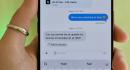
Macworld After weeks of development with enrolled beta testers, iOS 27.2 is available to all iPhone users as a stable release, along with macOS, iPadOS, watchOS, and tvOS. The first major update to iOS 27 introduces several handy enhancements to Siri AI, along with some major additions to Apple TV and HomePod. What happened to iOS 27.1? Its odd for Apple to jump from iOS 27.0.1 to iOS 27.2, but theres a simple explanation: iOS 27.1 was strictly for the iPhone Duo. There was never a developer or public beta release, but Apple likely had a similar program for the software in-house as to not leak specific features for the folding phone. In fact, iPhone Duo users had to update to a newer build of iOS 27.1 after unboxing their phones. iOS 27.2 is compatible with all iPhones, including the Duo, so iOS 27.1 might go down as the shortest-lived update Apple has ever released. Siri AI expansion Siri AI first launched with iOS 27.0, unlocking a comprehensive chatbot experience in a dedicated appplus the ability to recall personal data and take in-app action. The initial version, however, was limited to a single language. While the assistant could comprehend many languages when texting it, its main interface and voice commands only supported English. With iOS 27.2, Siri AI officially expands language support to include French, Spanish, Portuguese, Japanese, and Korean. The latest update also expands what Siri AI can do in Apples native communication apps. In Messages, Siri now suggests relevant actions under individual texts when needed. For example, if someone mentions a date, the assistant will surface a shortcut to quickly add it to the Calendar app. Meanwhile, the Phone apps Call Context feature now highlights saved anniversaries, a welcome addition to the existing birthday reminders. Another new feature is Siris ability to reference previous queries. Siri will now be able to access prior chats even when not continuing a conversation in the Siri app. iOS 27.2 should also expand Siri AIs platform availability, unlocking it on the second-generation Apple TV 4K and newer models. Once you install the latest iOS and tvOS builds, your Apple TV 4K will rely on your nearby iPhone to handle personal requests on the big screen. Its worth noting, however, that Siri AI has yet to be activated on the tvOS 27.2 Release Candidate at the time of writing, and since the new Apple TV doesnt release until November 13, it may require a separate update. Siri can now suggest relevant actions in Messages. Mahmoud Itani/Foundry Apple TV profiles Speaking of Apple TV, iOS 27.2 brings a highly requested feature to the streaming service. Similar to Netflix, the TV app on your iPhone now allows you to create multiple viewer profiles tied to a single Apple Account. If you tend to share your personal iPhone or iPad with a family member, they will be able to use your subscription to watch original movies and series without altering your queue or watch history. This does not impact the existing Family Sharing perk that allows up to six independent Apple Accounts to take advantage of a single subscription on their own devices. Some of the features supported by Apple TV profiles include picking a name and avatar, restricting adult content, adding a 4-digit PIN, and setting autoplay defaults. Notably, the primary account holder will be able to view, manage, and delete any of the secondary profiles created using their account. Sound Glow on HomePods The latest OS update revitalizes all HomePod models except the original full-size model from 2018. Once you install iOS and HomePod Software 27.2, youll be able to toggle a new Sound Glow setting in the iPhones built-in Home app. The feature distills a playing songs album art into a color blob that animates on the HomePods top display in sync with the rhythm. While Sound Glow doesnt affect the actual audio, it does make vibing to music more funespecially in pitch-black environments, which amplify the dramatic effect. Other handy HomePod options in the OS 27.2 release include a Lock Controls toggle that disables the touchscreen. If your smart speaker suffers from ghost touch issues, youll be able to make it usable again by turning off touch input. HomePod mini gets a new Sound Glow feature in iOS 27.2. Mahmoud Itani/Foundry App Switcher on watchOS After updating your iPhone, youll want to install watchOS 27.2 on your Apple Watch. This release brings back the App Switcher on watchOS after version 27.0 removed it, making it possible to force-quit misbehaving apps again. Its not as simple as before, however. Instead of double-clicking the Digital Crown, youll now have to tap and hold on the bottom of the screen inside an app to reveal the App Switcher. The retired mechanism will be reassigned to the Apple Watch Series 12s Live Rewind feature when it debuts later this year. You can now easily quit stubborn apps on Apple Watch after installing watchOS 27.2. Mahmoud Itani/Foundry Apple Pencil support for iPhone Duo Even though the iPhone Duo only just hit stores a couple of days ago, theres already an update and its a pretty big one. You can now use your Apple Pencil on either Duo screen and attach it to the side like the iPad. However, only the USB-C Apple Pencil works with the Duo, so you miss out on a few Apple Pencil Pro features, including pressure sensitivity and double-tap/squeeze gestures. Wheres the new Health app? If youve been following Apple news, you may have read about the revamped Health app that surfaced during the iOS 27.2 beta cycle. While it has been removed from iOS 27.2s final build, the overhauled app appears to still be on track to arrive later this year, as Apple originally promised. It will most likely reappear in iOS 27.3, due to launch in December. Even if you dont heavily use Siri AI, Apple TV, or HomePod, we advise you to install iOS 27.2 to apply the bug fixes and security patches (over 150 in iOS alone) included with this release. To get started, go to the Settings app on an iPhone 11 or later, followed by General , then Software Update . Hit the Update button and keep your iPhone connected to a power source until the installation completes.