Ambient Dreamie bedside companion review: The best sleep I've had in years
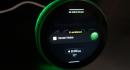
How much would you pay for a good night's sleep? This is a question I've asked myself repeatedly over the last few weeks as I've been testing the Dreamie, a $250 alarm clock and bedside companion that I couldn't stop thinking about after I first encountered it at CES . Ambient's Dreamie offers many of the conveniences of a smartphone-connected device highly customizable alarm schedules, a library of soundscapes and noise masks, Bluetooth so you can connect earbuds and podcasts (soon). But it is phone-free every step of the way, with all controls and features built-in so you don't end up getting sucked into a doomscroll while you're trying to wind down. It also has a light ring for ambient lighting modes and sunrise wakeups. This spring, it's expected to start providing sleep insights as well for users who opt-in, using its microphone and motion sensors to get a reading on their nightly habits. All of that's meant to work together to, according to the website, help you sleep better and break free from your phone, a goal I was eager to explore. This may be one of the least unique problems to have as an adult in today's world, but sleep has become a really complicated thing for me. Falling asleep is hard because my brain is always racing, my quality of the sleep is trash and waking up every day feels like an act of torture. It's gotten so bad that at some point in the last couple of years, I started using three alarms to make sure I get out of bed in time for work: a dedicated sunrise alarm clock, my smartwatch and my phone as the final, 11th hour save in case the other two methods don't do the trick. As you might imagine, my partner, who is forced to also endure this horrid morning ritual, hates it. So if there's a device that can help fix this mess, I'm open to it. And after some time with the Dreamie, I think I've found a promising contender. Getting into a sleep routine There's no companion app with the Dreamie and no subscription service you need to sign up for, which feels like a breath of fresh air in 2026. (I'm so tired of subscriptions, free us from this hell!) Your one-time purchase gives you access to everything it offers now and the updates that are in the pipeline. After taking it out of the box and plugging it in, you'll have to connect to your home Wi-Fi. Then, the Dreamie presents you with a tutorial to walk you through navigating its menus and physical controls. There's a touch strip on the top of the device to turn on the lamp and adjust its brightness, as well as the brightness of any ambient color scene that's active. By dragging the dot at the center of the lamp screen, you can throw the light in any particular direction. Volume is adjusted by turning the dial that's around the clockface. To access the menu for alarms and other settings, swipe up. To cycle through the different content modes ambient, wind down and noise mask just swipe down from the top of the screen. Easy peasy. Setting up your actual Sleep Routine takes a little more time and intention. A Dreamie Sleep Routine consists of multiple steps, which you can use all, some or none of for your custom routine. Those include the Bedtime Cue, which lets you know it's the time to start getting ready for bed (you designate this time); the Wind Down, or the sounds you'll fall asleep to; and the Noise Mask, the sounds that keep you asleep. If you wake up in the middle of the night, there's a Back To Sleep option too. You can choose different sounds from Dreamie's library for each category. Some options come with ambient lighting effects, too. There's a decent selection of soundscapes, from the dramatic Aurora Borealis and the sounds of storms and rivers to different colors of noise . Some noise masks, like Green Noise, coming with lighting effects. Cheyenne MacDonald for Engadget The quality of the Dreamie's sound is what initially sold me during my demo at CES, and it holds up in daily use. The Dreamie has a 50 millimeter speaker inside, and the 360-degree grille on the bottom of the device makes it so the sound seems to come from everywhere. (My cats were extremely confused when I first turned it on). It really fills a room, and you don't have to crank it up to achieve that. When Bedtime Cue comes on, I typically turn it down to about 25, and then raise it back up to 45 when I flip it to Wind Down mode. I've never once set it higher than 50, and the alarm in the morning has still been loud enough to wake me up. After taking a few days to tweak my choices and figure out what I like best, I've settled into a really nice routine: Aurora Borealis as the Bedtime Cue, an hour of Forest Wind as my Wind Down and a Noise Mask of Brown Noise to play throughout the night. I love how easy it is to set the nighttime routine in motion once it's established. When I hear the Aurora Borealis come on, I start making my preparations for bed. Brush teeth, take meds, lights out and, crucially (I'm trying really hard to be disciplined, here), my phone goes face-down on the nightstand until morning. If I want to stay up late that night and ignore the Bedtime Cue, I can just hit the little stop button on the display. But once I'm ready to actually try to fall asleep, all I need to do is swipe down on the display to initiate the Wind Down, and Forest Wind will start playing. I have my Wind Down set for one hour, after which the Noise Mask begins. And man, that Forest Wind knocks me out. So far, I haven't found myself still up and staring at the ceiling by the time Brown Noise comes on. I've only been able to confirm that it is indeed working and switching to the Noise Mask because my cats regularly wake me up in the middle of the night, and it's been on each time that's happened. But aside from those instances where my head is being used as a springboard by the creatures that share my home, I've been sleeping pretty well through the night. To minimize distractions when you're trying to sleep, the Dreamie's display will dim in response to the surrounding darkness. There's also a Redshift toggle to make the nighttime display easier on the eyes, a Dark Mode with a simplified appearance and the option to have the display turn off completely when you've been inactive for a while. I set the Dreamie on my nightstand close to where my face is at night, and I haven't had any problems with light from the display keeping me up. Waking up with Dreamie In the morning, the light begins to come on 20 minutes before I want to be awake, followed by the gradually increasing sound of the alarm. There are only a handful of alarm sounds at the moment, but the options are all fine. There are no jarring, grating alarms here even the bird calls option sounds rich and natural, rather than the too-shrill, piercing recordings I've grown used to avoiding on other alarm clocks and sound machines. You can set multiple alarms with different bedtimes and wakeup times, which is really handy if your schedule is all over the place or you want to allow yourself to sleep in more on certain days. My only real complaint so far is that the sunrise feature isn't quite as strong as I want it to be. The Dreamie's sunrise goes from a warm glow to a bright blue-white, but it never gets big enough to wash over me in the way I expect a sunrise alarm to. Having the light on is helpful for orienting yourself when you're groggy and half-asleep, but it doesn't feel like it's having much effect on my actual wakeup process. Dreamie next to a Philips Wake-Up Light. Cheyenne MacDonald for Engadget Part of the problem may be that none of the light is really directed forward and at the sleeper's face. Even the Dreamie's lamp mode at maximum brightness seems to have more reach than the sunrise feature. (And a note on the lamp, while it's decently bright, it's still a bit too dim for reading in bed unless I'm huddled up to it.) Still, I've been sleeping well enough that I've been waking up alright most days even without being bathed in artificial sunlight. Don't get me wrong, I'm still hitting snooze a few times before dragging myself out of bed, but there's been a noticeable improvement in both the quality of my sleep and how miserable I feel come morning. I'm even down to using just two alarms: the Dreamie as my primary alarm, which is getting me up on its own for the most part, and my watch as a backup. At this point, I'm kind of attached to this thing. The Dreamie is refreshingly compact, too. It takes up significantly less real estate on my nightstand than the Philips Wake-Up Light I've been using forever, or something like a Hatch Restore . The smaller footprint is something I appreciate as a person always battling cluttered surfaces. That also makes it better for travel. Since podcasts and sleep insights aren't available yet, I haven't been able to test those out, but they're non-critical features for me. The company has shared an estimated timeline of Q1-Q2 for these features to arrive, with podcasts likely coming first. They'll be nice to have, podcasts especially, but the Dreamie is more than able to do its main job of creating an environment that supports better sleep without those things. Wrap-up All of this brings me back to the question that's been haunting me since discovering the Dreamie: Is it ridiculous to spend $250 on an alarm clock/noise machine? At a different time in my life, I would have said yes without hesitation. But the current version of me, who knows what it's like to move through each day like a zombie because I'm sleeping so terribly, would begrudgingly disagree. As I pack up this review unit to ship it back, I'll also be putting in an order for my own so I can keep my cherished new sleep routine going. This article originally appeared on Engadget at https://www.engadget.com/home/ambient-dreamie-bedside-companion-review-the-best-sleep-ive-had-in-years-184019430.html?src=rss

 18 C
18 C