SENSEX
NIFTY
GOLD
USD/INR

Weather

image 36    C

Mobile News

Macworld

Mobile / Macworld

details

iPhone 18 Pro speakers

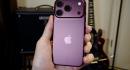
Macworld Its been just 12 days since the iPhone 18 Pro went on sale, and some customers are already complaining about their phones. Specifically, at certain times the speakers produce a clicking, crackling, snapping, or raspy sound. As is often the case with such issues, affected parties congregated on a Reddit thread to discuss the problem. The original poster reports that shortly after setup their new 18 Pro Max produced a brief clicking or popping noise from the speaker (either upper or lower; the poster seems unclear on this) almost as if someone is pulling out an aux cord. This didnt just happen once. It happened, they report, a number of times during app switching and [while] playing around with volume and possibly voice dictation. But it became less frequent over time, and didnt happen at all in the few hours before the post was made. In a later edit, they add that music at high volume sounds raspy as well. At the time of writing, there are 29 direct, undeleted and non-mod replies to the post, and by my count at least 21 of these say theyve experienced the same issue(s). Some report positive conclusions. One says it only happened on phone calls and that since updating to iOS 27.0.1 has stopped entirely. Another says that going into the Phone settings and choosing Standard mode rather than Voice Isolation led to way less crackling. But some cases appear to be more severe. One commenter, translated from Vietnamese, complains that they hear random clicking or crackling sounds almost whenever I interact with the screen. Sometimes, I even hear it the moment I touch the screen to wake it up. More reports of the issue have appeared on the MacRumors forum . Again, complaints are made about crackling sounds, intermittent popping sounds, a super faint tick/pop from the earpiece speaker, and a different, very unpleasant emphasis in the higher frequencies, as compared to the iPhone 17 Pro Max. And again, far too many commenters confirm that theyve experienced the same issue for this to be dismissed as user error or a single defective unit. Apple has not yet made a public statement about the issue, but may address it in a software update. Go into Settings and select General > Software Update and follow the prompts to install the latest version of iOS. Since Apple just released iOS 27.0.1 this week to fix other iPhone 18 Pro launch bugs, however, an imminent update is not guaranteed. In the meantime we recommend that owners of affected phones contact Apple to get them fixed, especially before the two-week return period ends.

30 Sep 2026 11:42 pm