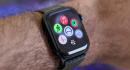
If you multitask on your Apple Watch, don
Macworld Whether youre buying a new Series 12 or upgrading a Series 11 to watchOS 27, some big changes are coming to your Apple Watch. Apple Intelligence will have a prominent role on Apples wearable device for the first time, with a new Siri AI app and several Audio Intelligence features on the latest models. One of those features, Live Rewind , records everything that you hear in 15-second intervals that can be accessed by double-pressing the Digital Crown. Current Apple Watch users will recognize that same action is used to open the App Switcher, which is used to quickly jump back to a previously used app. And if you turn on Auto-Select Focused App in Accessibility, you dont even have to tap the screen. If you buy a new Apple Watch, that option is gone. In fact, the App Switcher doesnt even exist. That also means the option to swipe left to quickly close an app is gone, too. Instead, youll need to fumble through a clunky series of steps: Open the app, hold the side button until the emergency sliders appear, release the button, then press and hold the Digital Crown until your watch face appears. However, if you download watchOS 27 on an older watch, youll also lose the double-click action even though those watches dont have Live Rewind. Effectively, it does nothing. Double-pressing the button brings up the new Dynamic App Grid, but so does a single press. The Dynamic App Grid is similar to the App Switcher in that it shows your recently used apps, but you still need to select the one you want to open. So multitasking is much less efficient. Of course, this only applies to the Apple Watch Series 9 and later. Apple dropped compatibility for several models with this latest release, and theres no indication that the Dynamic App Grid will come to older models.