How to cancel Mullvad VPN
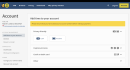
This is going to be one of the shortest articles in my series on how to cancel your subscriptions to the best VPNs . Unlike most providers, Mullvad VPN does not automatically renew an expired subscription unless you tell it to. Thanks to its unique pricing approach, cancelling Mullvad is the default option. When you sign up for Mullvad, you pay for as many months upfront as you want at the constant rate of 5 Euro per month (varying with exchange rates). Each month, Mullvad takes 5 Euro out of your account until there's nothing left. If you're no longer satisfied with Mullvad, all you have to do is stop putting money in. The Mullvad account dashboard. Sam Chapman for Engadget If you happen to have originally signed up for Mullvad earlier than the middle of 2022, you may have an auto-renewal account grandfathered in. Mid-2022 is when Mullvad stopped auto-renewing subscriptions and got rid of PayPal integration altogether, but people who had signed up before then had the option to leave auto-renewal on. If you're in this group, cancelling is simple. Just sign into your account page, click on the word Subscriptions, then click Unsubscribe. How to cancel Mullvad if you subscribed through an app store There's one more exception to the usual method of cancelling Mullvad. If you got your subscription through an app store instead of Mullvad's website or app, the app store is the one processing your money. You'll need to cancel through them instead. On an iPhone or iPad, open the Settings app, whose icon shows gray gears. Tap your name at the top of the screen to reach your Apple ID page, then tab Subscriptions. Scroll down until you find your Mullvad subscription, tap it, then hit Cancel Subscription. On an Android phone, open the Google Play Store , whose icon is a triangle in the Google colors. At the top-right, tap the circle with the first letter of your username in it. Hit Payments & Subscriptions , scroll down to find Mullvad, then tap it and hit Cancel Subscription. How to delete your Mullvad account You can go the extra mile and delete your account if you're sure you'll never want to use Mullvad again. Send an email to support@mullvadvpn.net, provide your account number and request that the account be terminated. You'll get a reply confirming deletion. How to get a refund from Mullvad Mullvad offers refunds on any purchase within 14 days. To start a refund request, send an email to support@mullvadvpn.net, including your Mullvad account number and your payment token. If you aren't sure what your payment token is, find the charge for Mullvad on your bank statement and look for something in the format VPN*(10-digit number). Payments made in cash can't be refunded, apparently because that's considered a form of money laundering in Sweden. If you got Mullvad through a voucher, request your refund through the store the voucher came from. Best Mullvad alternatives Mullvad is one of the best VPNs, especially in terms of privacy. However, I've found it to be a bit slow at times, with a somewhat limited server network. Luckily, Proton VPN is almost as private as Mullvad the only thing it's missing is the ability to sign up without an email. It's also got a larger server network and better overall download speeds. Windscribe is another privacy-optimized VPN with a better record than Mullvad in my unblocking tests. Surfshark is the fastest VPN of them all, while ExpressVPN is ideal for beginners. If you liked Mullvad's cheap pricing, CyberGhost is a highly affordable alternative. This article originally appeared on Engadget at https://www.engadget.com/cybersecurity/vpn/how-to-cancel-mullvad-vpn-200000516.html?src=rss

 18 C
18 C